

Overview
SmartNews Ads Manager lets you automate common actions by programming common actions based on a recurring schedule or specific conditions.
Common use cases
- Change a campaign’s daily budget at specific times or days of the week.
- Reduce manual tasks over weekends or late-night hours using automatic scheduling.
Warning:
Ad rules are intended to help automate tedious, routine tasks, but in rare cases actions may fail to run or may run late. We recommend avoiding using automated rules for high-impact or critical account operations, and instead performing those actions manually with a knowledgeable operator.
Rule management screen
You can view and manage your rules under [Tools] > [Rules]. Here you can enable and disable rules, create new rules, and edit or delete existing rules.
A single account can hold up to 100 rules at a time.
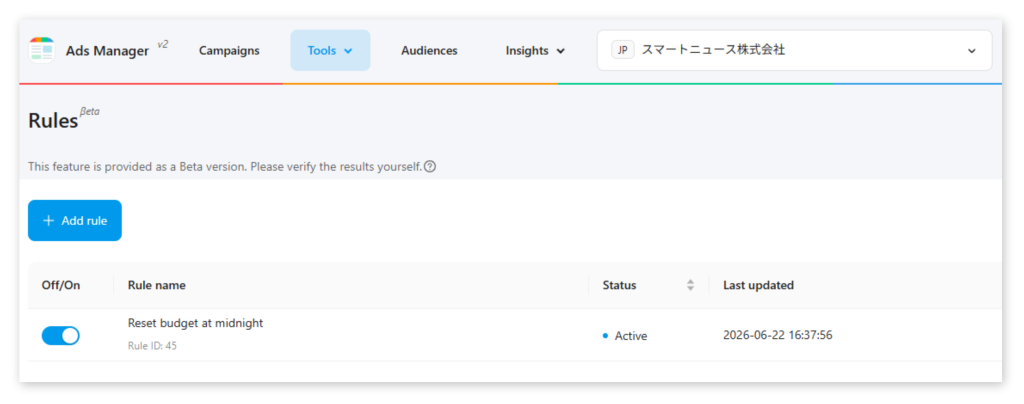
Rule status
| Status label | Description |
|---|---|
| Active | The rule is configured and ready to run. |
| Failed | The rule failed to run its action repeatedly 30 minutes past its scheduled runtime. When a rule is marked as “failed”, we’ll also send you an automated notification email. |
Actions
The automated actions your rules can run are detailed below.
| Action type | Supported objects | Description |
|---|---|---|
| Daily budget | Campaigns | Changes the campaign’s daily budget to the value you choose. |
Creating and editing rules
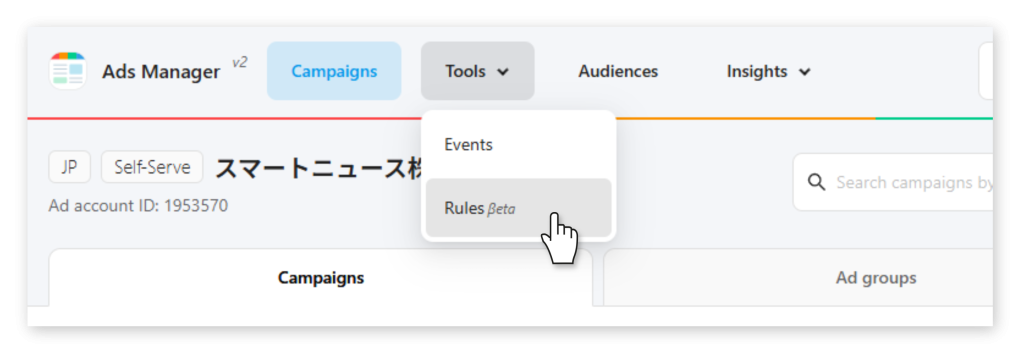
1From the top navigation panel in Ads Manager, navigate to [Tools] > [Rules]. This opens the Rules page.
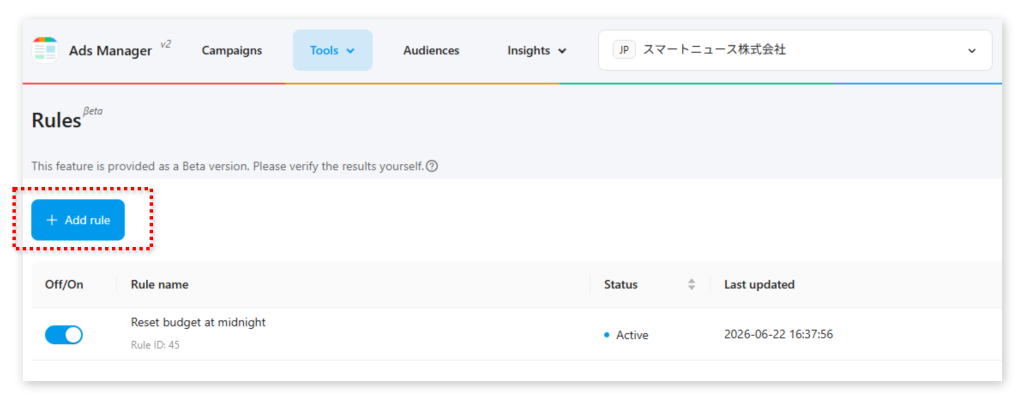
2To create a new rule, click [+ Add rule].
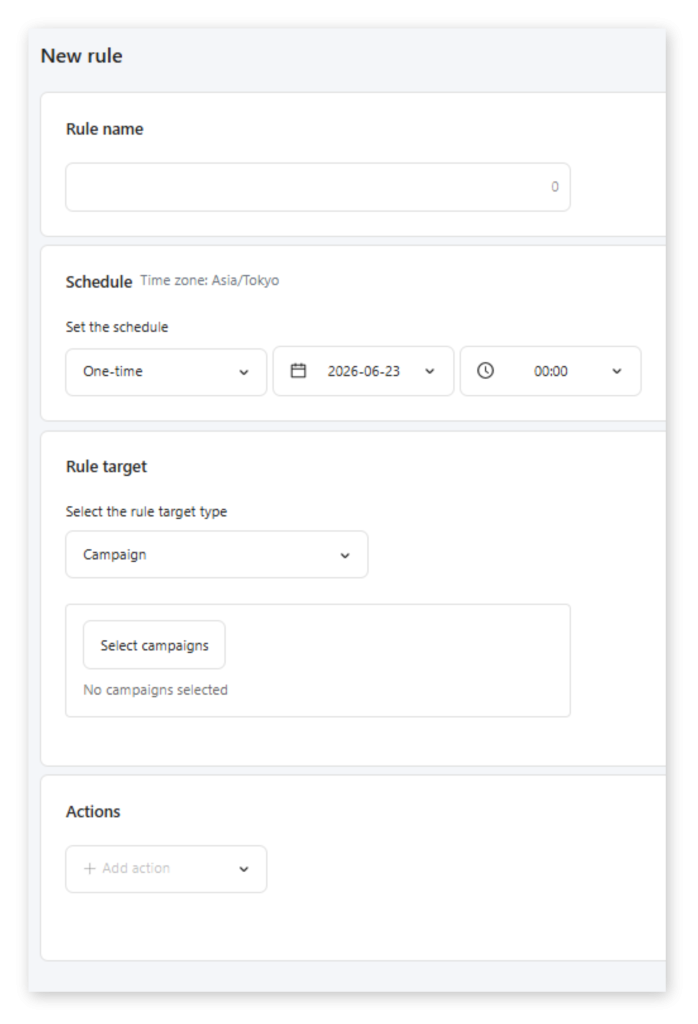
3Name your rule so you can easily identify what it does.
4Under “Schedule”, choose when your rule will run.
One-time: The rule will run only once when the conditions are met.
5Select the campaigns, ad groups, or ads the rule will affect. You can apply the rule to multiple objects as long as they’re the same type (campaign, ad group, or ad).
6Select and configure the Action your rule will trigger.
7Select and configure any Conditions you wish to place your rule under, limiting when it will run.
8Click [Save] to save your changes.
FAQ
Q: Can multiple rules contradict or block one another?
A: Yes, SmartNews doesn’t check for logical contradictions between different rules or actions. Be sure to double-check your rules’ logic and test them safely before rolling them out to a live campaign.
Q: What happens if a rule fails to run?
A: The system will automatically retry for 30 minutes after the rule’s scheduled runtime. If it still can’t run after 30 minutes, the rule’s status will be shown as “Failed” on the rules management screen, and we’ll send you an automated email to help you troubleshoot.
Q: Why did my rule run later than the scheduled time?
A: Rules are best-effort automation. In rare cases, actions may run late due to system load or temporary processing delays. Avoid using rules for time‑critical operations.
Q: Can I make changes to rules at any time?
A: No you can only edit rules that haven’t run yet. Make sure that you make any changes at least 1 hour before a rule’s scheduled runtime.
Q: Can I target multiple object types (Campaign + Ad group + Ad) in one rule?
A: No. You can target multiple objects, but they must all be the same type within a single rule (all campaigns, all ad groups, or all ads). Note that some actions are only available for certain object types, such as “Daily budget” for campaigns.
Q: Who will receive the notification email if a rule fails to run? Can I specify the recipients?
A: The notification email is sent to users who have permission to operate the relevant ad account. This includes Business Admins, Operator Admins, and Business Users with an operator role.
Advertiser users will also receive the notification if they are registered to the relevant ad account and have permission to manage ads. Users with view-only access or without ad operation permissions will not receive the notification email.