

You can change your creative name even during delivery. In this case, no re-screening is required.
Viewing Your Settings
You can add it from both Campaign Settings and Ads manager βeta.
Campaign Settings
TOP page > 広告設定 > キャンペーン設定 > キャンペーン検索 > キャンペーン詳細
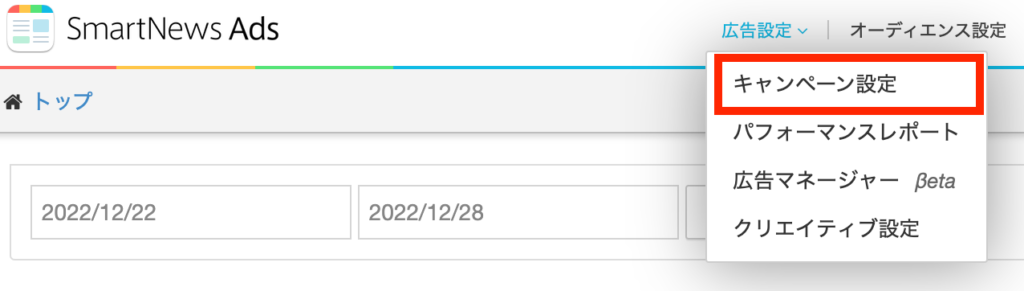
1 Select [キャンペーン設定] (Campaign Settings) from [広告設定](Ad Settings) in the upper menu.
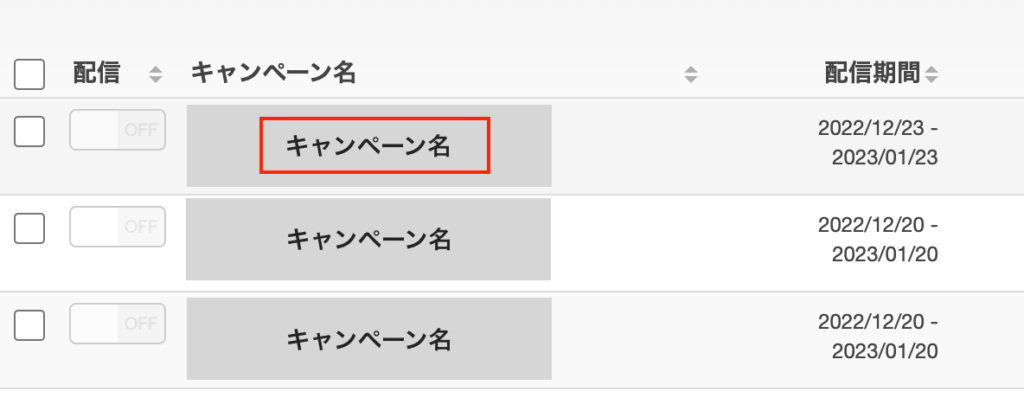
2 Click the campaign whose creative name you want to change from the campaign list.
3 Find the creative you want to change from the creative list on the campaign details screen, and place the cursor over the creative name to display a pencil mark.

4 Press the pencil icon to change the creative name. Save after making changes.

Ads Manager βeta
TOP page > 広告設定 > 広告マネージャーβeta > キャンペーン検索 > キャンペーン詳細
1
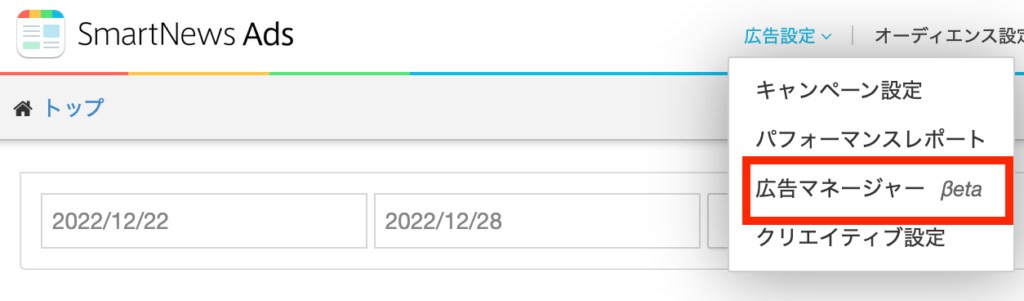
Select [広告マネージャー βeta] (Ads Manager βeta) from [広告設定] (Ad Settings) in the top menu.
2 Select the campaign whose creative name you want to change from the campaign list, and move to the campaign details screen.

3 Find the creative you want to change from the creative list on the campaign details screen, and place the cursor over the creative name to display a pencil icon.
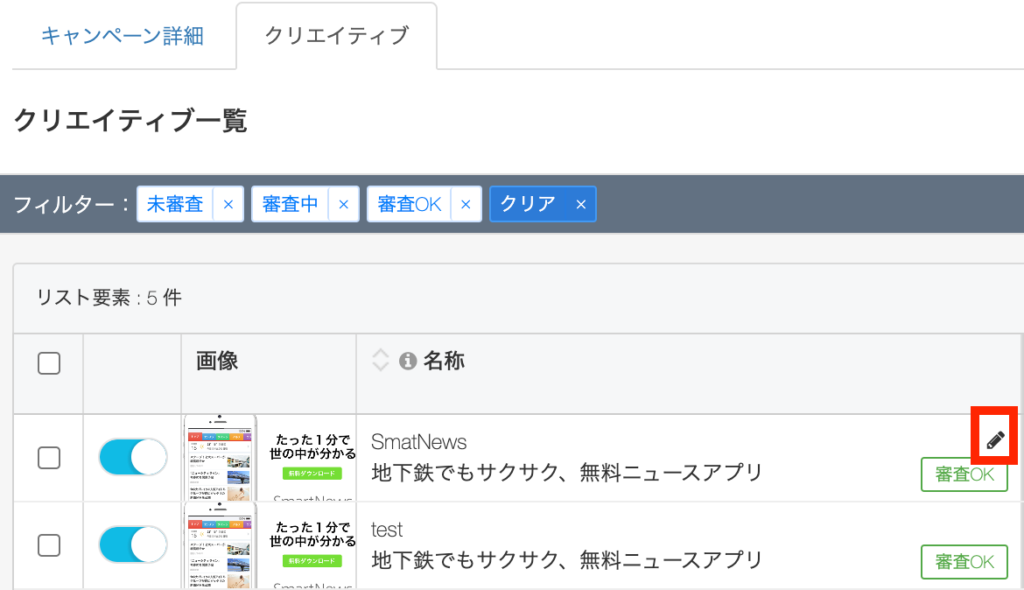
4 Press the pencil icon to change the creative name. Save after making changes.