

Please download the submission file.
*CSV files alone are not supported, and must always be included in a ZIP file, just like when creative submissions are submitted. See here for CSV samples.
*Please refer to this CSV sample if you want to upload campaigns and creatives in CSV at the same time.
Creating a file to upload
1 Create a CSV file.
The following fields are required.
When creating an ad campaign
- Type (campaign)
- Campaign_id
- Campaign_name
- Action_type (web or App)
- Start_time (start time)
- End_time (end time)
- Sponsored_name (advertiser name)
- Currency (JPY fixed)
- Bid_amount
- Total_budget (total budget)
- Daily_budget
When setting targeting attributes for ad campaigns
- Targeting_type
- Targeting_value
2Save the CSV and compress it in ZIP format.
CSV submission process (same as creative submission)
1 Select [CSVインポート] (Import CSV) at the top right of the admin console.
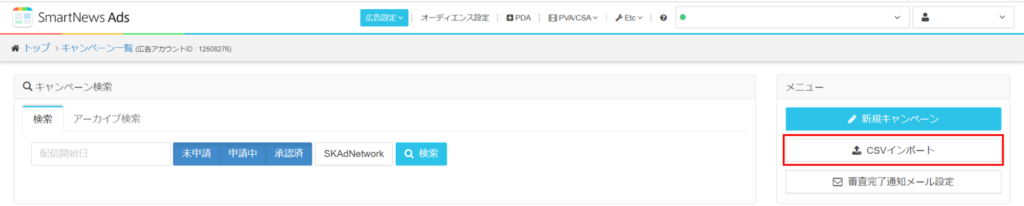
2 Upload the created ZIP file.
Notes
- CSV submissions are always submitted with “Bid method = Set by yourself”. If you want to change to automatic bidding, you need to edit the campaign after submitting CSV.
- Submit bid_amount with any value.