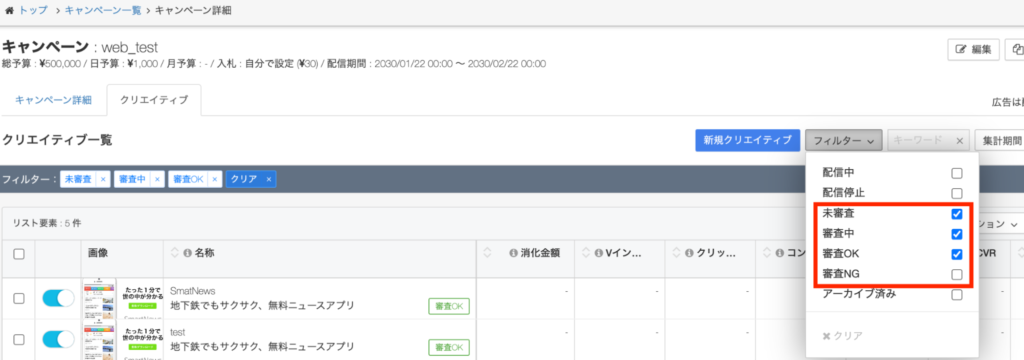

You can view and edit the delivery status of campaigns and creatives in bulk via the Ads Manager βeta.
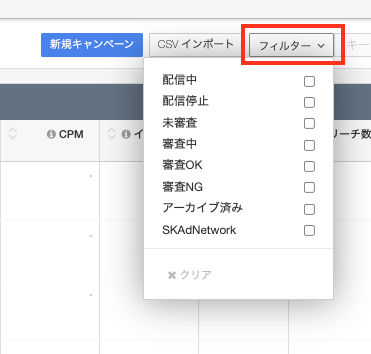
The following statuses can be viewed:
- Currently begun
- Delivery finished
- Not screened
- Undergoing screening
- Screening passed
- Rejected
- Archived
- SKAdNetwork (campaign only)
Viewing Your Settings
TOP page > 広告設定 > 広告マネージャーβeta > キャンペーン一覧
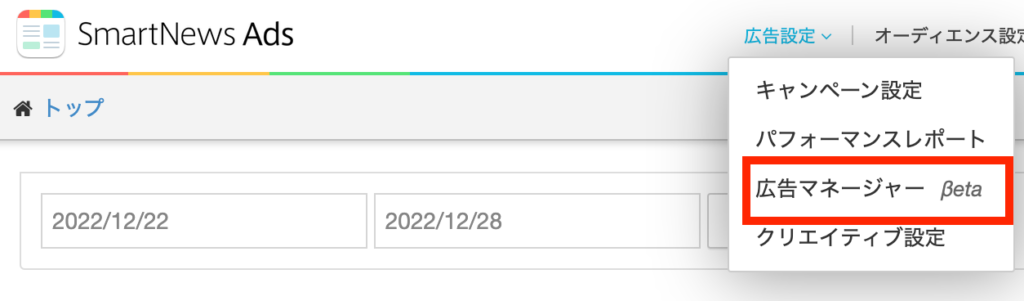
1 From the top menu, choose [広告設定] (Ad settings) from [広告マネージャーβeta] (Ads Manager βeta)
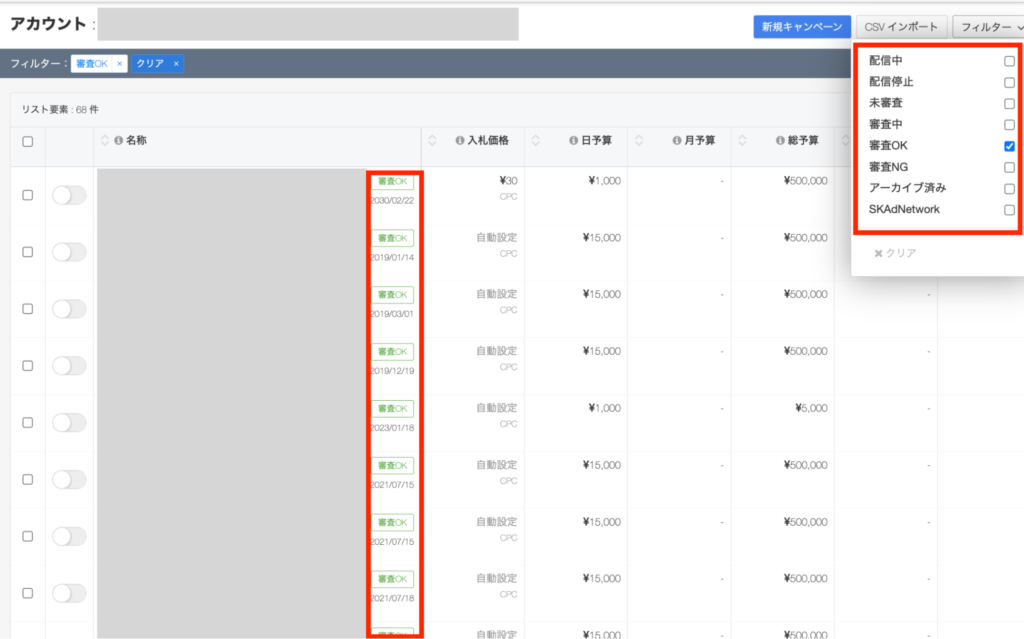
2 At the top right of the campaign list, select [フィルタ] (File) to view and edit your delivery status. Campaign (creative) status will be displayed in the campaign list. (Multiple selection possible)
3 You can check the delivery status of each creative by checking the screening status from the filter on the campaign details screen (multiple selections possible).