

If your admin console becomes cluttered, you can archive and manage old creatives.
How to archive creatives
Campaign settings can be viewed from both “Campaign Settings” and the Ads Manager βeta.
Campaign Settings
TOP page > 広告設定 > キャンペーン設定 > キャンペーン一覧 > キャンペーン詳細
1
From the top menu, click [広告設定] (Ad Settings) and choose [キャンペーン設定] (Campaign Settings)
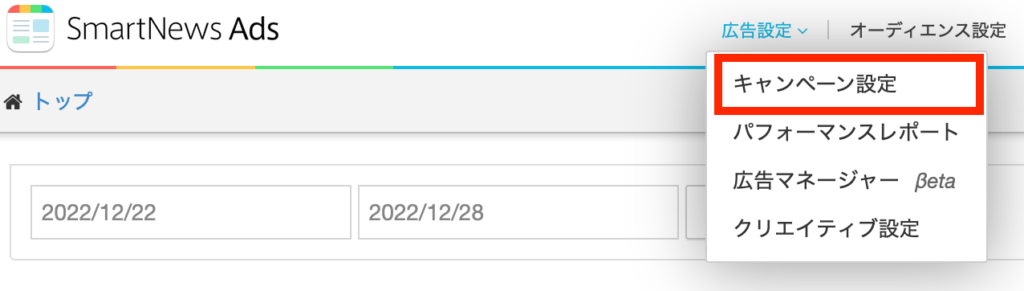
2 Select the campaign that contains the creative you want to archive from the campaign list.
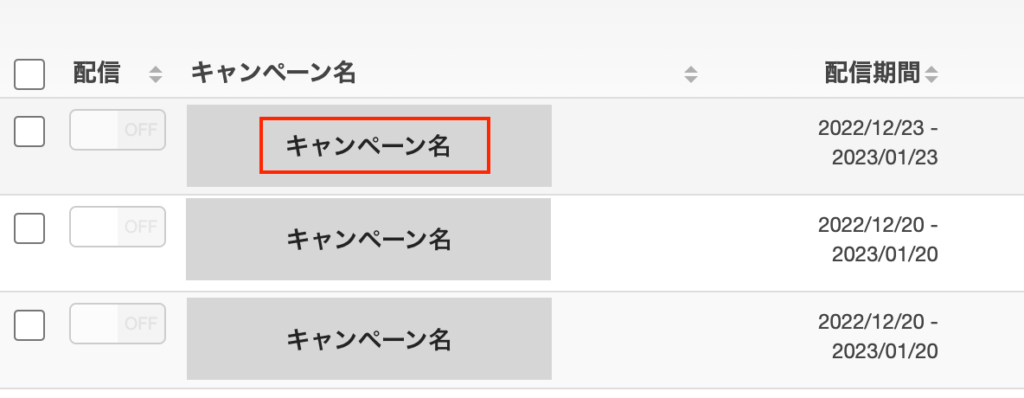
3
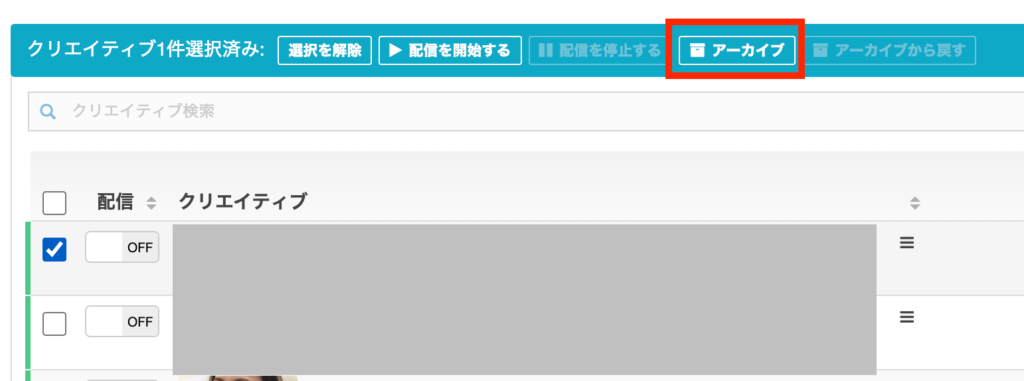
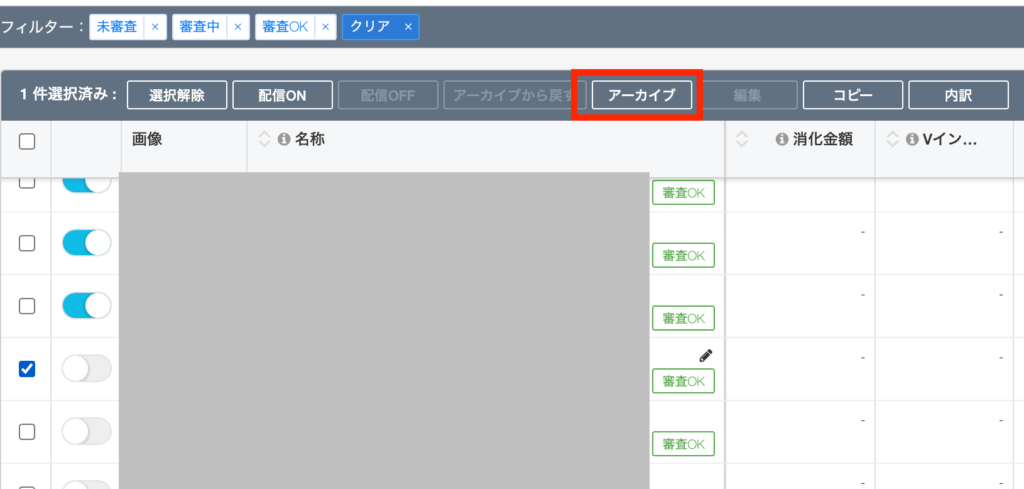
Check the creative you want to archive from the creative list on the campaign details page and click[アーカイブ] (Archive).
Ads Manager βeta
TOP page > 広告設定 > 広告マネージャーβeta > キャンペーン一覧 > キャンペーン詳細
1
From the top menu, choose [広告設定] (Ad settings) from [広告マネージャーβeta] (Ads Manager βeta)
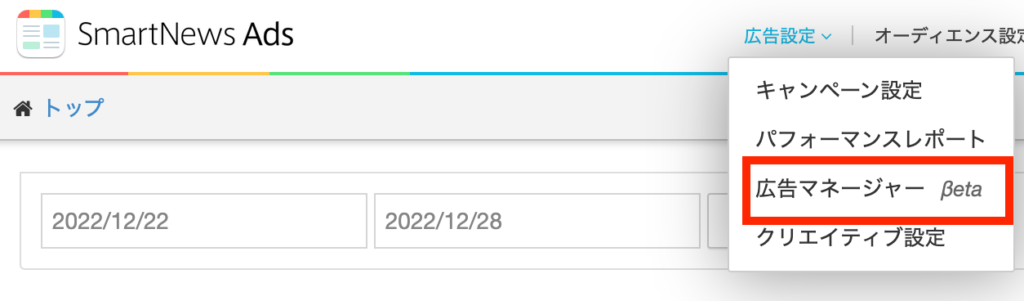
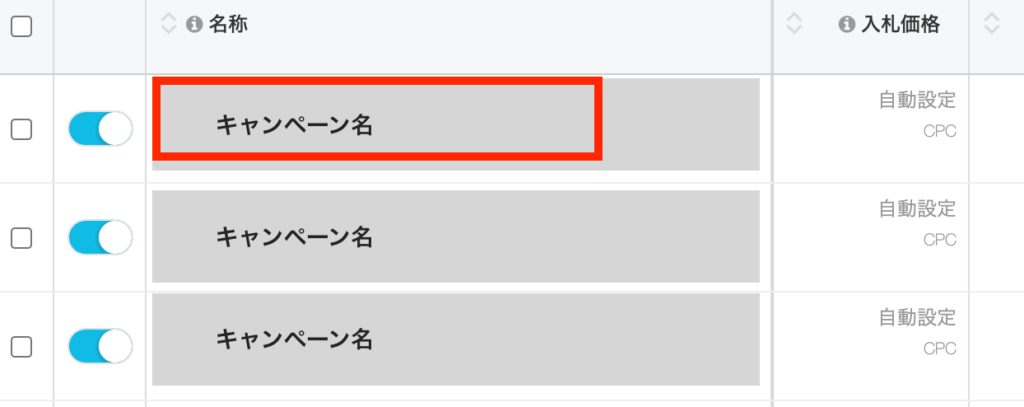
2 Select the creative campaign you want to archive from the campaign list.
3 Select the creative from the campaign details creative list, and click [アーカイブ] (Archive)
How to unarchive
Campaign settings can be viewed from both “Campaign Settings” and the Ads Manager βeta.
Campaign Settings
TOP page > 広告設定 > キャンペーン設定 > キャンペーン一覧 > キャンペーン詳細
1 Select archive status from the creative list in the campaign details to display the archived list.

2
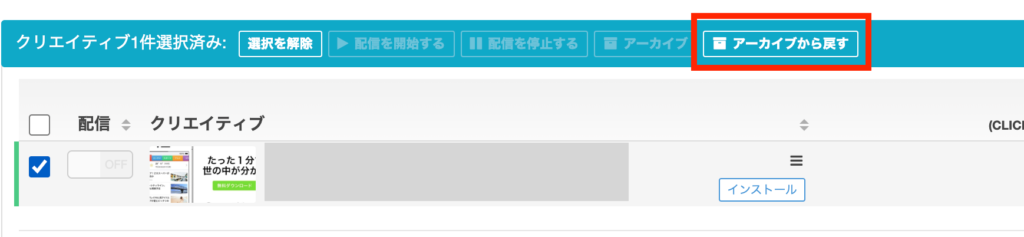
Check the creative you want to restore and click [アーカイブから戻す] (Unarchive). This will return the selected creative to your creative list.
Ads Manager βeta
TOP page > 広告設定 > 広告マネージャーβeta > キャンペーン一覧 > キャンペーン詳細
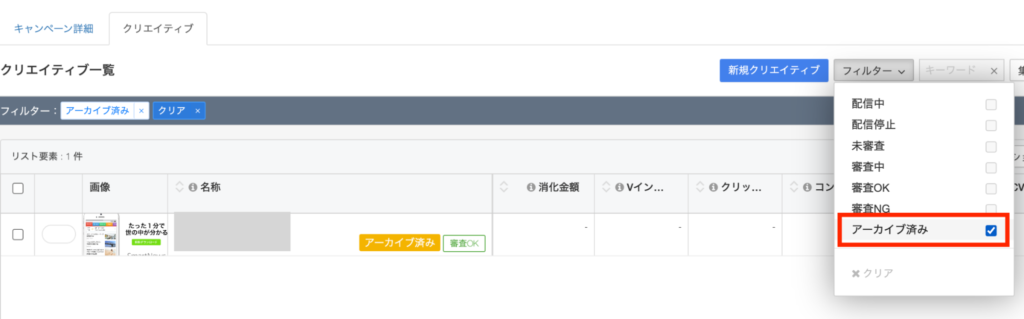
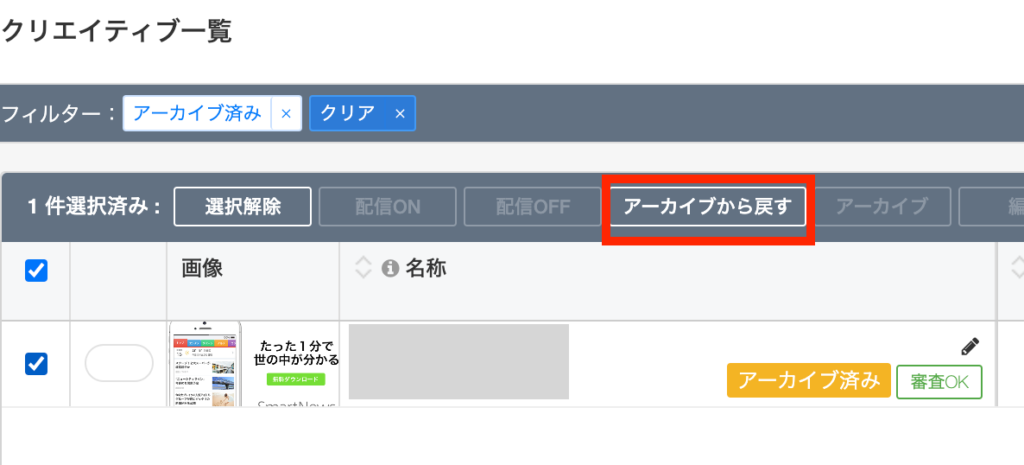
1 Select a filter on the campaign details screen and check “Archived” to display a list of archived creatives.
2
Check the creative you want to restore and click [アーカイブから戻す] (Unarchive).This will return the selected creative to your creative list.
Notes
- Creative archiving is only possible when delivery is turned off.
- Archived creatives cannot be permanently deleted.