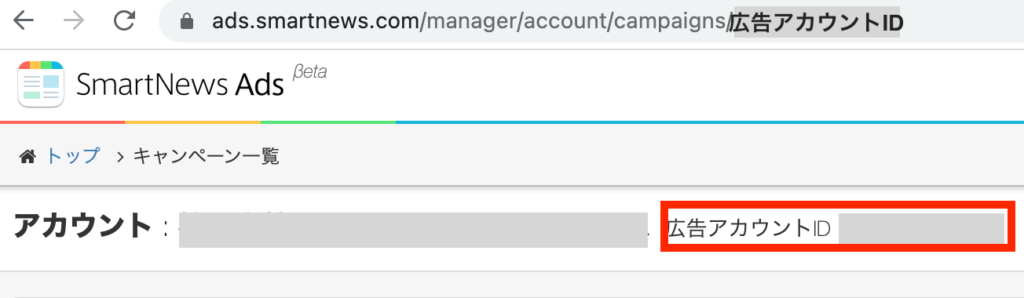

About ads account IDs
You will need an ads account ID when inquiring about a specific account. This ID can be found on the admin console.
How to find your ID
Campaign settings can be viewed from both “Campaign Settings” and the Ads Manager βeta.
Campaign Settings
TOP page > 広告設定 > キャンペーン設定 > キャンペーン一覧
1
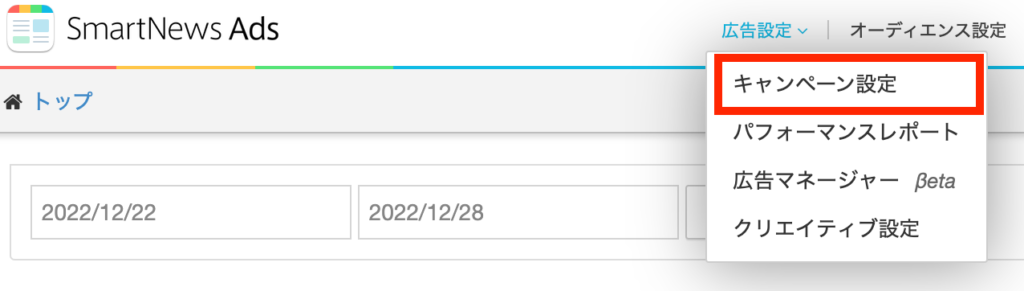
From the top menu, click [広告設定] (Ad Settings) and choose [キャンペーン設定] (Campaign Settings)
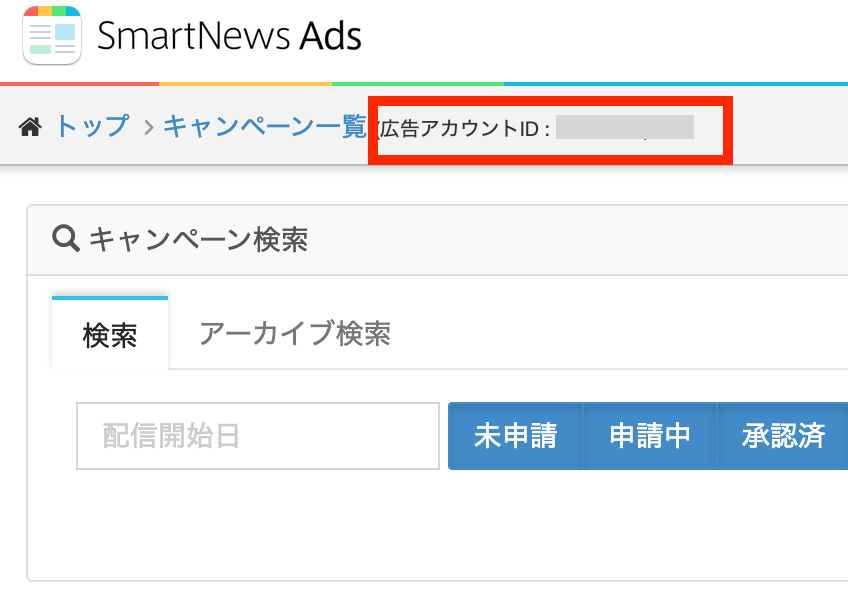
2 Your ads account ID will be displayed at the top of the campaign list screen.
Ads Manager βeta
TOP Page > Ad Settings > Ad Manager βeta > Campaign List
1
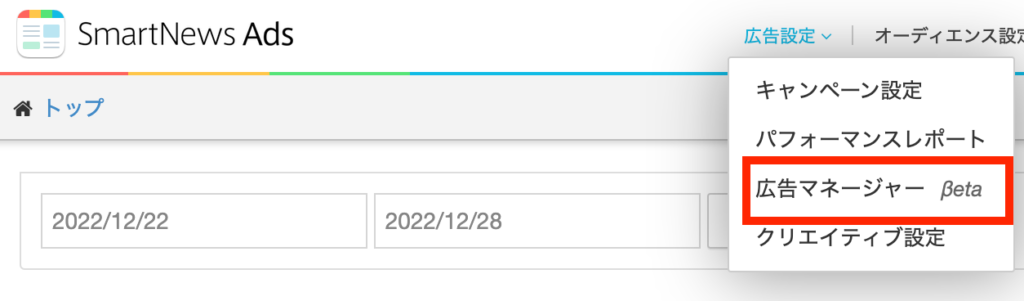
From the top menu, choose [広告設定] (Ad settings) from [広告マネージャーβeta] (Ads Manager βeta)
2Your ads account ID will be displayed at the top of the campaign list screen. You can also check your ads account ID on the URL under campaigns.