

Setting up your payment method
Business admin users can access the payment settings and add up to 10 credit cards. Add at least two credit cards in case one payment fails. If we can't bill your credit card at billing time, all ad delivery stops for your accounts.
When you register multiple credit cards, set one as your primary payment method. We always bill your primary card first when it’s valid. If your primary card fails or expires, we’ll bill the most recently added credit card instead.
Accessing the Billing & Payments screen
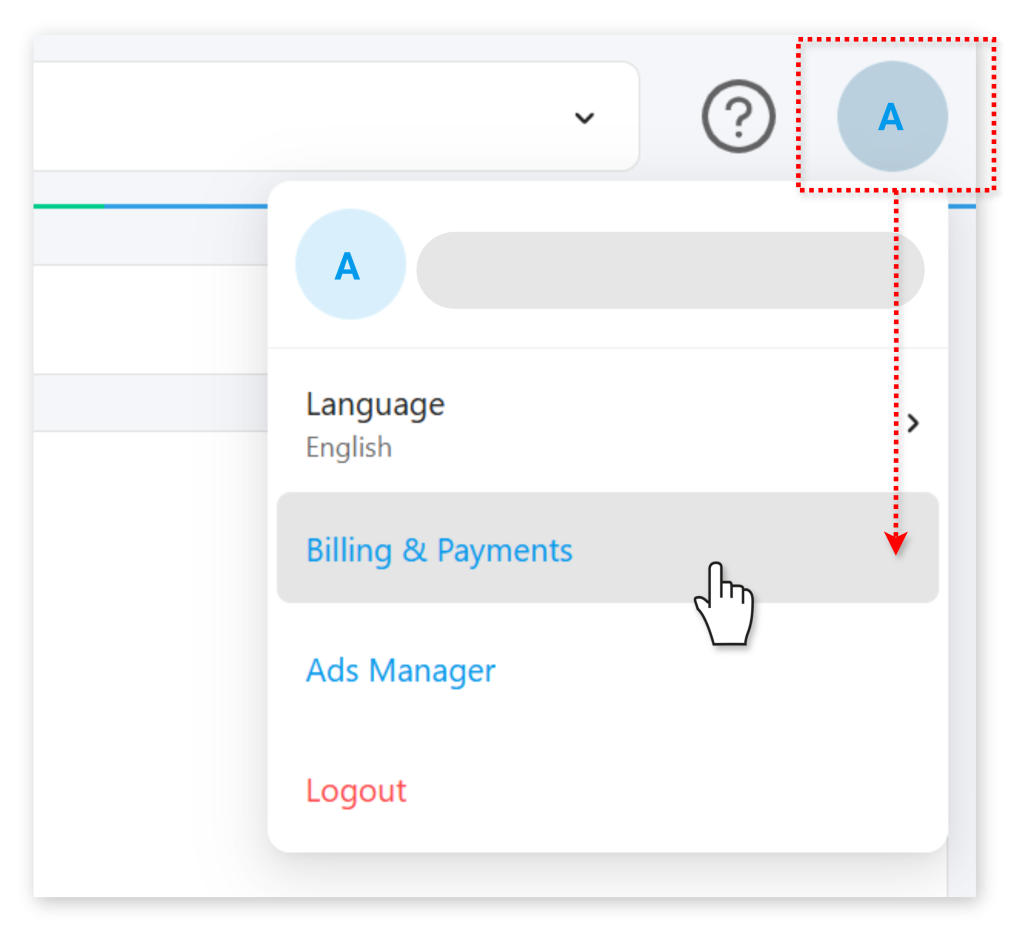
While logged in to Ads Manager or Business Manager as an admin, select the top-right user menu marked with your initial letter and mouse down to Billing & Payments.
Adding payment methods
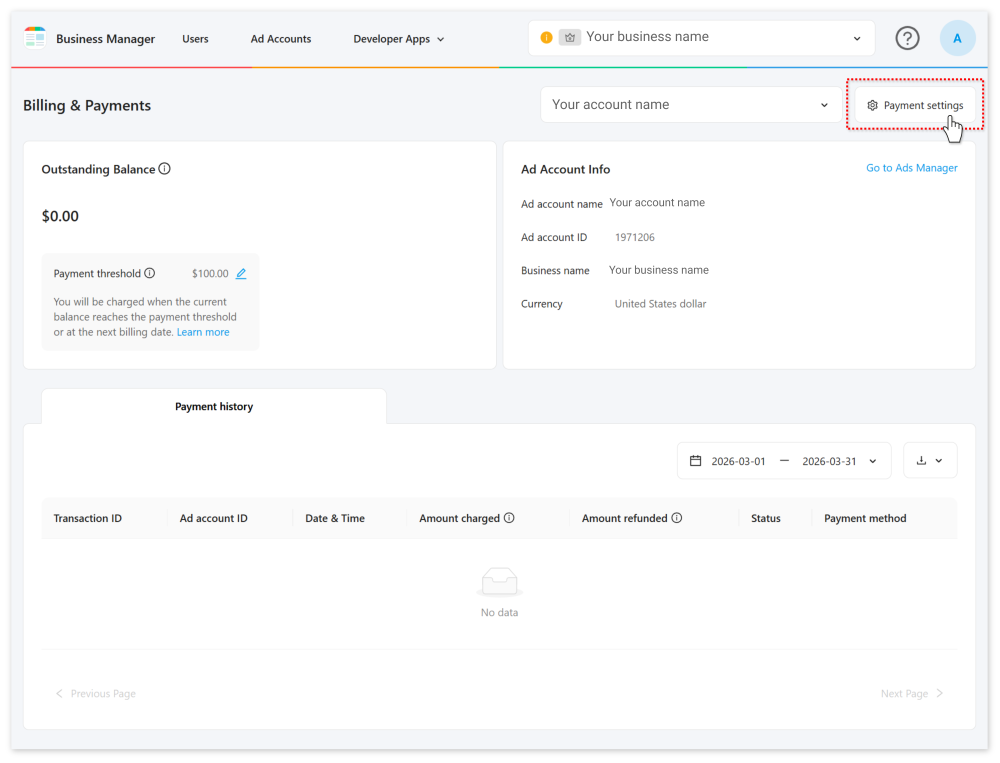
1In the top-right corner of the Billing & Payments screen, click Payment settings.
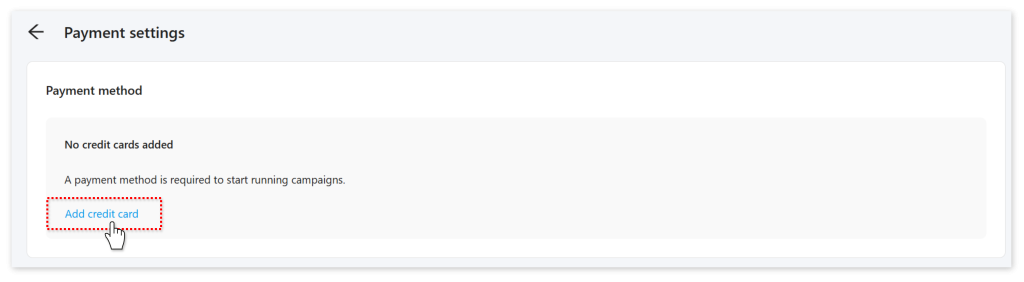
2On the following screen, click Add credit card.
3Enter your credit card details, including the security code found on the back of your card.
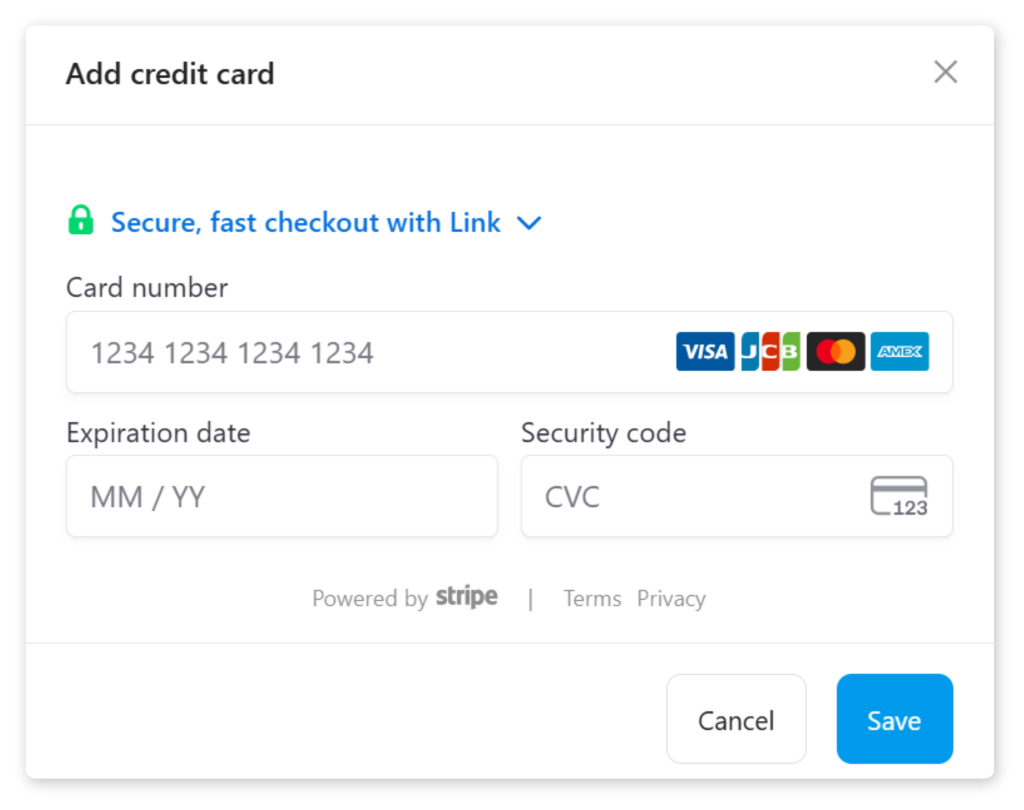
4Click Save to apply the payment method to Business Manager.
Modifying payment methods
1In the top-right corner of the Billing & Payments screen, click Payment settings.
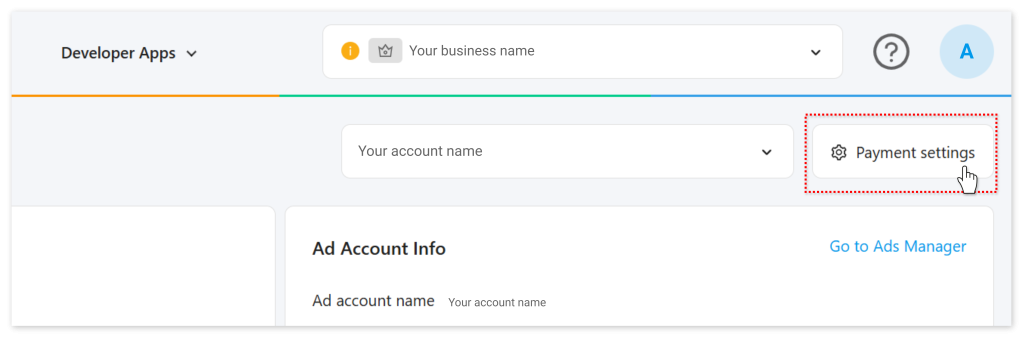
2
Credit cards registered to the business will be listed on the following screen.
You can delete a card by clicking Remove under its name.
To prioritize payments to a specific card, select Set as primary. This will make the card your default payment method.
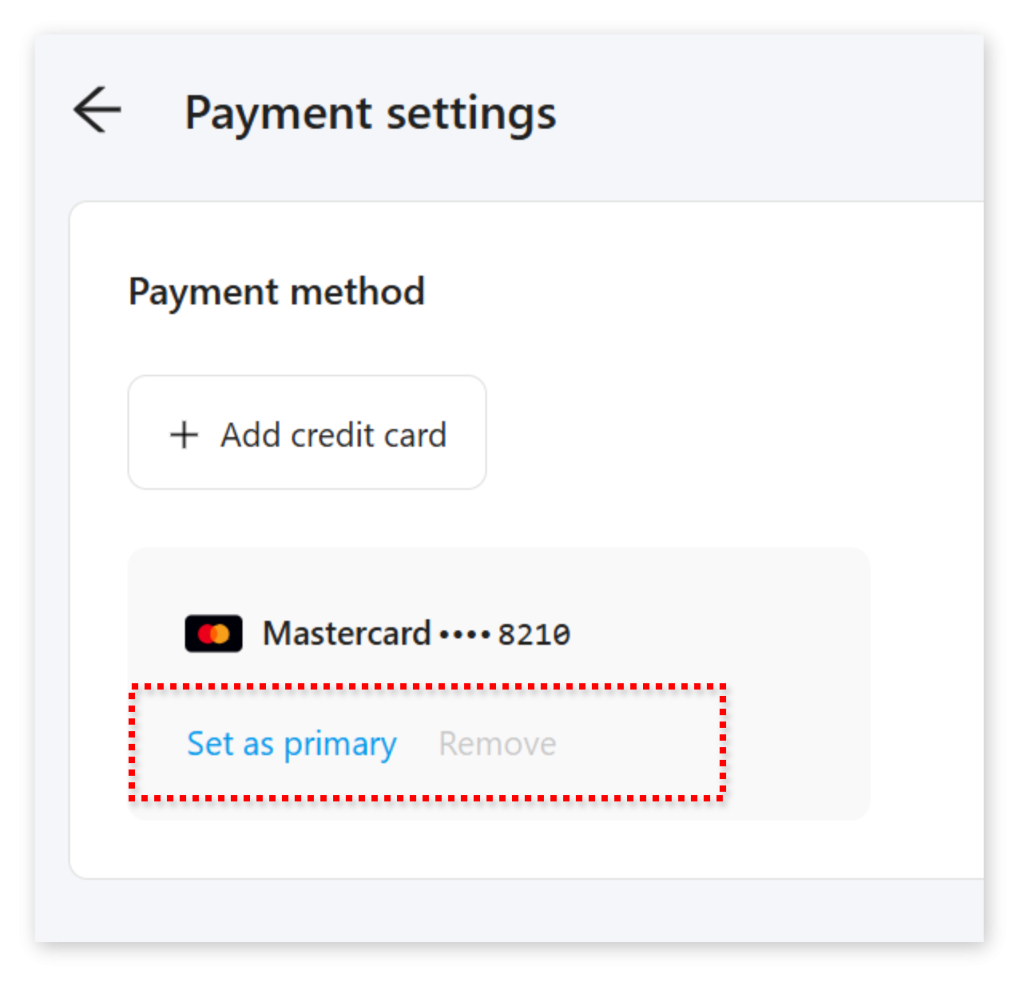
Note: If you have an account actively running ads, you cannot delete your last registered credit card. Add a new credit card first, set it as your primary payment method, then delete the old card.
How payment thresholds work
Payment threshold range: $100 to $500 USD (in increments of $1 USD)
Your payment threshold is the amount that triggers automatic billing. When your ad spending reaches this threshold, we bill your primary credit card.
Example: With a $100 threshold, we bill your card as soon as your ad spending reaches $100.
We also bill your card on the next billing date (based on your account’s time zone), regardless of whether or not you’ve reached the threshold.
Transactions and receipts
Transaction history shows all credit card transactions, sorted by most recent.
Download options:
- Transaction details: Downloadable as CSV files at any time
- Monthly receipts: Available at the beginning of each month as PDF files
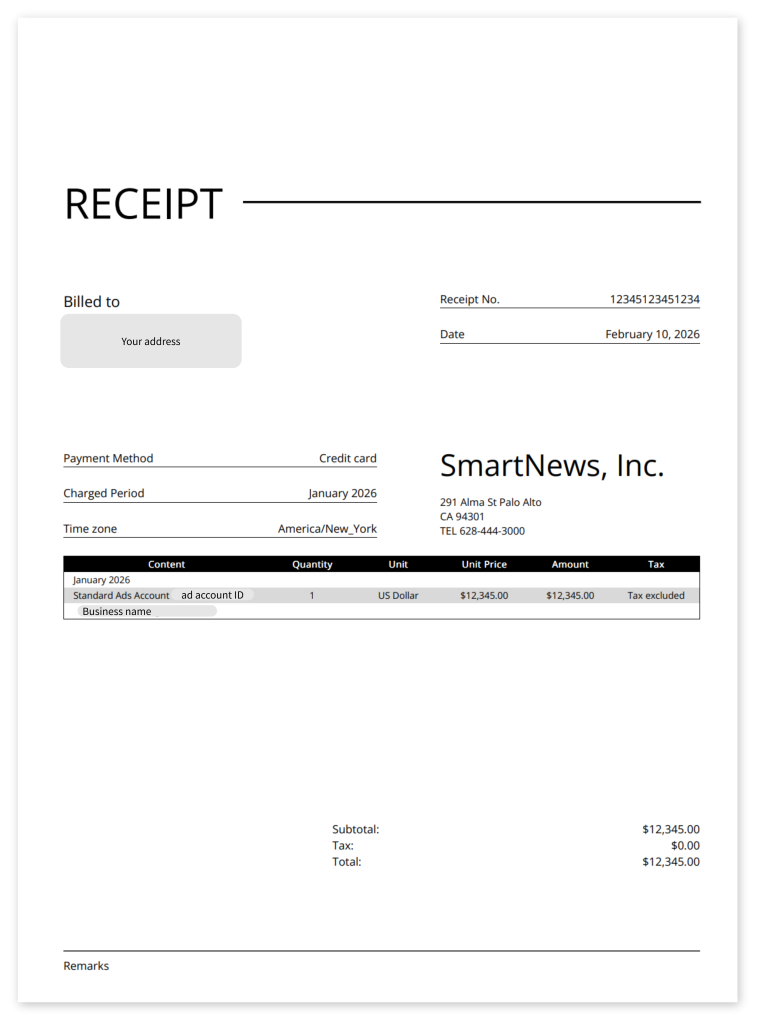
Your monthly receipt shows your ad account spending and final bill for the billing cycle. If we make an adjustment to your bill, we will generate a new receipt with “adjustment” in the filename:
ad_account_{Ad Account ID}receipt{yyyyMM}_(adjustment).pdf
Each receipt includes a unique receipt number for your reference.
Transaction detail CSV format
Downloaded transaction CSV files include the following columns. Here’s an overview of each column and what they mean.
| CSV column header | Description |
|---|---|
| id | The ID of each transaction |
| amount | The amount of the transaction |
| currency | The currency of the transaction (USD, JPY, etc.) |
| card_brand | The brand of credit card used for the transaction |
| card_last4 | The last 4 digits of the credit card’s number |
| ad_account_id | The ID for the ad account incurring the transaction |
| status | init— Indicates a new or updated credit card registered in the system that hasn’t yet been billed valid— Indicates a successfully billed credit card expired— A credit card that couldn’t be billed due to being expired invalid— A credit card that couldn’t be billed for some other reason |
| created_at | The time stamp for the transaction in UTC standard time Example: 2025-08-18T13:22:18.123Z |
Receipt format
After each billing cycle, SmartNews will send you a receipt in PDF format.
It will look something like this:
Payment failures
If none of your credit cards can be billed, all your campaigns and ads will be paused.
To resume ad delivery:
1Add a new valid credit card in Business Manager.
2Our system will attempt to bill the new card within one hour.
3If successful, ad delivery resumes automatically.
If an existing credit card is declined, first resolve the issue with your bank, then remove the card and add it again. This step helps Business Manager recognize that your card is now valid.
Campaign budget management
Control your spending through campaign budget settings and account spending limits.
More on campaign budget settings
FAQ
Q: Can I change my payment threshold after setting it up?
A: Yes, you can adjust your payment threshold within the range of $100 to $500, in $1 increments.
Q: What happens if I reach my payment threshold near the end of a billing cycle?
A: You’ll be billed both when you hit the threshold and again on the next billing date for any remaining balance.
Q: If I add multiple credit cards, can I specify which one to use for specific ad accounts?
A: No, your primary payment method is shared by all your ad accounts.
Q: Are there any transaction fees associated with credit card payments?
A: No, SmartNews does not charge additional fees for credit card payments.
Q: Which credit card brands are supported?
A: We support most major credit card brands such as Mastercard, Visa, Discover, and American Express.