
Overview
A campaign's billing event is the user action you pay for when users interact with your ad, such as clicks or impressions. Choosing the right billing event helps optimize your campaign to better fit your objective.
Billing events affect how your campaign spends its budget, which in turn impacts how the SmartNews optimization system fine-tunes its performance during auctions.
Viewable impression
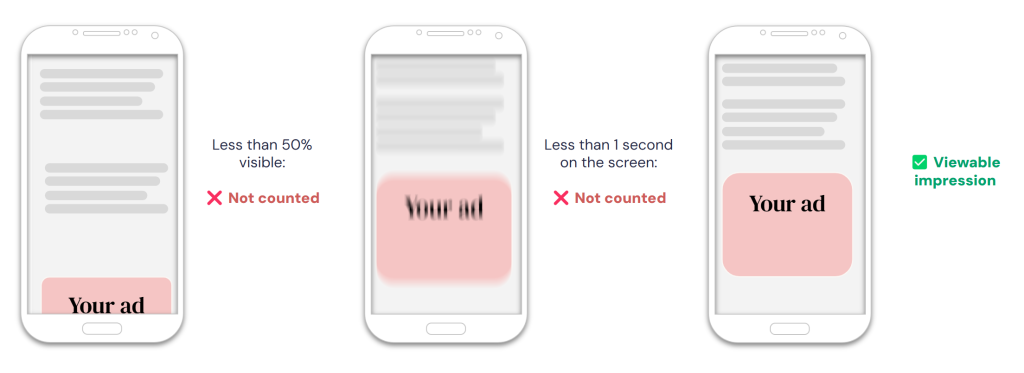
Your ad campaign spends its budget when SmartNews detects that a user has viewed your ad for a certain duration—not simply scrolled past it.
This is the default billing event for:
- Awareness campaigns
- Sales campaigns
- App promotion campaigns
Click
Your ad campaign spends its budget whenever a SmartNews user clicks on one of your advertisements.
This is the default billing event for:
- Traffic campaigns
Awareness campaigns focus on gaining viewable impressions and can’t use clicks as a billing event.
Billing events compared
| Billing event | Optimal scenarios |
|---|---|
| Viewable impression (VIMP) | • Your ad campaign is focused on exposure and raising brand awareness. • You aim to build a top-of-funnel custom audience to retarget later. • Your creative or product is focused more on attention and recall rather than click-through rate. • You want consistent pacing across campaigns that scale more easily, rather than risk running click-constrained campaigns. |
| Click | • Your campaign defines success by a clear path to action, such as add-to-cart events or installs. • You have a limited budget and want to pay only for performance. |
How to view and change a campaign’s billing event
1Under the Ads Manager Campaigns tab, create a new campaign, or edit a campaign that hasn’t yet been submitted for review.
2Under the “Bid strategy” section, find the “Billing event” label in the gray box. This shows the billing event currently selected for the campaign.
3Click the pencil icon next to the “Billing event” label. A pop-up dialog will appear.
4From the drop-down list in the dialog, select the billing event you wish to apply to the campaign and click [Save].
Note that once you submit a campaign for review, its billing event setting will become permanently locked.
FAQ
Q: Why can’t I change my campaign’s billing event?
A: Some campaign types, such as Awareness campaigns, only support certain billing events.
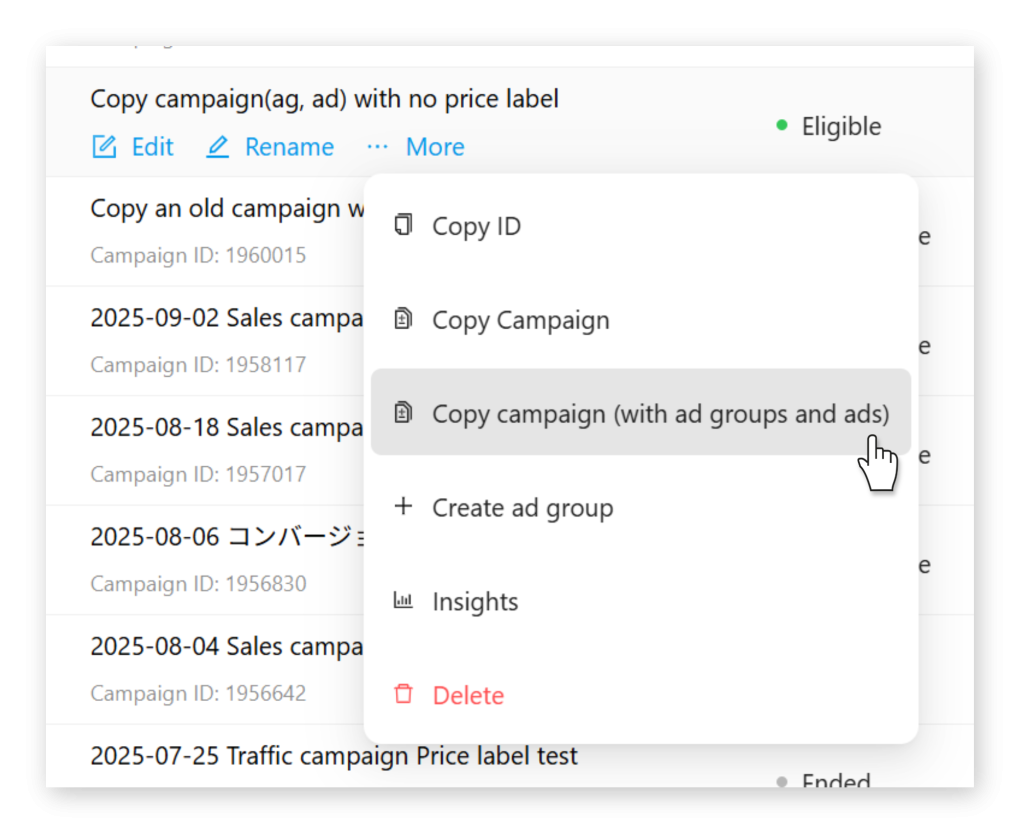
Also, you can’t change the billing event for campaigns marked as “Eligible”—meaning they have already passed review and are ready to run ads. You can however create a new campaign with existing settings using [Copy campaign (with ad groups and ads)] from the More menu.